STEP 4-Army: ARMY ACTIVCLIENT INSTALLATION ASSISTANCE PAGE (If you are NOT in the Army, look here) |
||||||||||
(THIS PROGRAM ALLOWS YOUR READER TO "COMMUNICATE" WITH WINDOWS)
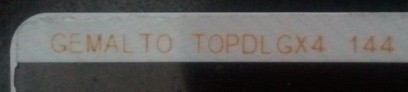
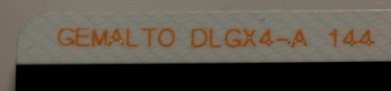
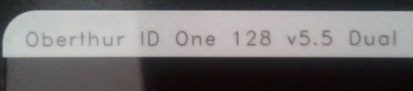
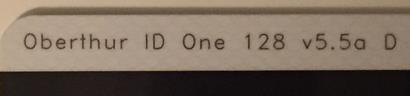
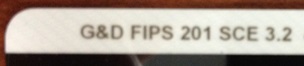
MOST WINDOWS 11 & 10 USERS DO NOT NEED ActivClient: If you have a: "GEMALTO TOP DL GX4 144," "GEMALTO DLGX4-A 144," "Oberthur ID One 128 v5.5 Dual," "Oberthur ID One 128 v5.5a D," or "G&D FIPS 201 SCE 3.2") CAC and are using Windows 8, 8.1, 10, or 11, you might be able to use your CAC without the need of installing ActivClient. A guide to help figure out which CAC you have Read more about the older CACs and replacing them
Windows 11 users click here for information on how to use your CAC on your computer
Windows 10 users click here for information on how to use your CAC on your computer
Windows 8 & 8.1 users click here for information on how to use your CAC on your computer.
Windows 11 & 10 computers
MOST WINDOWS 11 & 10 USERS DO NOT NEED ActivClient:
Follow installation instructions above once you get the software download link from Michael
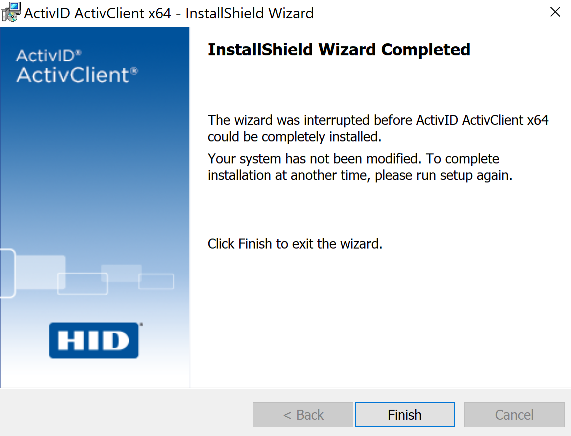
Some Windows 10 users are experiencing an issue where it won't complete the install and rolls back.
If your computer is an HP (or other brand), please look here for a setting you must perform OR if your ActivID does a roll back just before finishing install.
Other ideas that have worked for some. The concept is to try each one individually until one works. It is NOT a do all of them, then try.
-Right click the Com+Enabled key -Select Modify to edit the DWORD (32-bit), change the value from 0 to 1 to enable COM+ ---------------- - Delete following key and reinstall ActivID: HKEY_LOCAL_MACHINE\SYSTEM\CurrentControlSet\Services\ActivID
Shared Store ---------------- -Make sure the Distributed Transaction Coordinator (DTC) service is running by checking the Service Status and running "sc query
msdtc" from an If you need to Enable the startup, or needed to start it
- try to run the ActivID ---------------- - If it's not DTC - next check your COM/DCOM: Run dcomcnfg.exe Browse down through Component Services > Computers > My
Computer > COM+ Applications. Did you receive any error message (usually Access
Denied) or do you see any Red Arrows? This would indicate your COM system is corrupt - please
see
Microsoft KB2481190 for a possible solution. ---------------- - If it is not COM or DTC - have you recently imaged
this computer? Please check the following Registry Key: HKLM\SOFTWARE\Microsoft\MSDTC\SysprepInProgress Is this key value set to "1"? If so - set it to "0" and
try the install (Ref
Microsoft KB3202122). ------------ ActivID 7.1.0.x relies on Windows services that are
launched when a smart card is detected. Sometimes those services fail to
start. In most cases a restart of your computer with your CAC inserted in
the reader will fix the issue.
Newer HP computers (and other brands too) will need to temporarily stop all services that start with: HP (or other brand) before installing ActivID
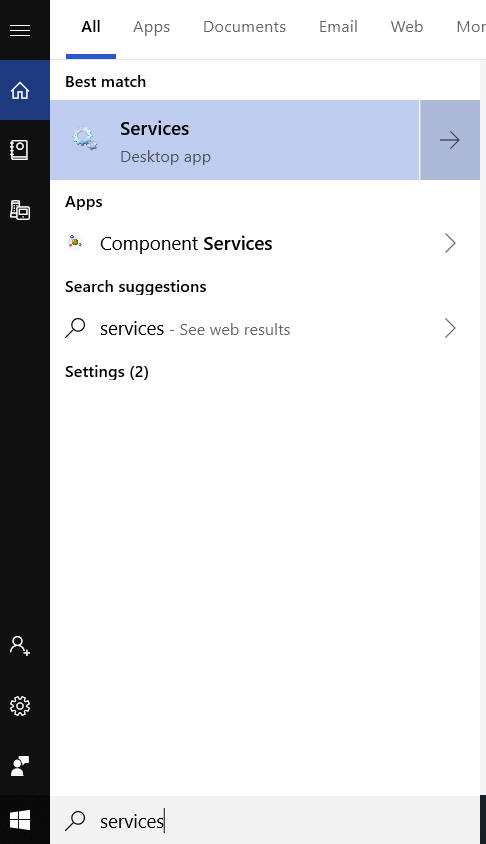
Here's how: Type: Services.msc in the Type here to search box, Click on Services Desktop app
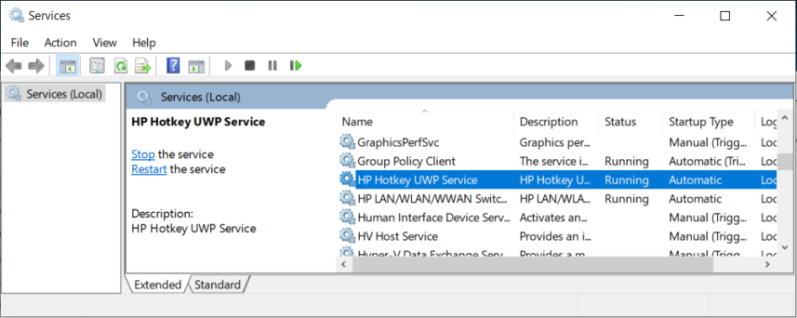
Scroll down to each of the services that start with : HP (or other brand) and double click each of them one at a time.
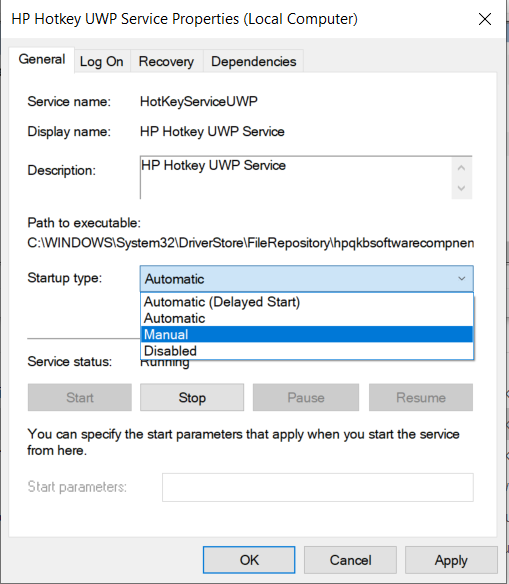
Click the Stop button for each HP (or other brand) Service. You can now install ActivID, and once you restart your computer [after installing ActivID], they will start up again automatically.
Now return to step 2 of the installation instructions above
Other ideas that have worked for some. The concept is to try each one individually until one works. It is NOT a do all of them, then try.
- Delete following key and reinstall ActivID: HKEY_LOCAL_MACHINE\SYSTEM\CurrentControlSet\Services\ActivID
Shared Store ---------------- -Make sure the Distributed Transaction Coordinator (DTC) service is running by checking the Service Status and running "sc query
msdtc" from an If you need to Enable the startup, or needed to start it
- try to run the ActivID ---------------- - If it's not DTC - next check your COM/DCOM: Run dcomcnfg.exe Browse down through Component Services > Computers > My
Computer > COM+ Applications. Did you receive any error message (usually Access
Denied) or do you see any Red Arrows? This would indicate your COM system is corrupt - please
see
Microsoft KB2481190 for a possible solution. ---------------- - If it is not COM or DTC - have you recently imaged
this computer? Please check the following Registry Key: HKLM\SOFTWARE\Microsoft\MSDTC\SysprepInProgress Is this key value set to "1"? If so - set it to "0" and
try the install (Ref
Microsoft KB3202122). ---------------- ActivID 7.1.0.x relies on Windows services that are
launched when a smart card is detected. Sometimes those services fail to
start. In most cases a restart of your computer with your CAC inserted in
the reader will fix the issue.
ActivID 7.2.1.46MOST WINDOWS 11 & 10 USERS DO NOT NEED ActivClient:
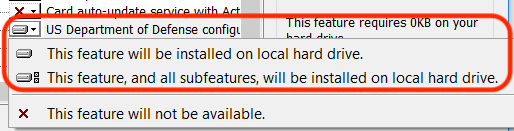
ACTIVID INSTALLATION INSTRUCTIONS for Army personnel 1. Read all of these instructions before clicking the download links1a. If your computer is an HP or your ActivID does a roll back just before finishing the install, please look here for a setting you must perform before going to step 2. 2. Once the program is downloaded to your computer.... Double click the file, select Next3. Read the End User License Agreement (EULA), select I accept the terms..., Next 4. Select Custom, Next, scroll down and select the red X next to US Department of Defense configuration, select This feature will be installed on local hard drive, select Next, then Install, (it may pause at this screen for a little while). You may be prompted to allow the following program to install software on this computer, Select Yes.
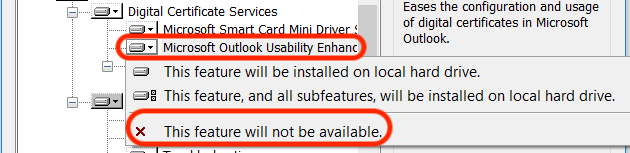
4a. Non DoD computers ONLY: Select the + next to Digital Certificate Services, select the down arrow next to Microsoft Outlook Usability Enhancements, make sure it is a red X. If it is not a red X, change it to a red X. If you don't make this change, you may end up with an error message stating: ActivID - 32 bits COM server asking you for your email address and password every time you use your CAC.
5. Click the Next button 6. Click the Install button 7. Uncheck the Show the readme file box (after you have read it). Select Finish 8. Restart computer MOST WINDOWS 11 & 10 USERS DO NOT NEED ActivClient:
YOU ARE FINISHED (IF YOU ONLY WANT TO BE ABLE TO check your webmail (or other CAC enabled websites with your CAC)). IF you want to be able to type forms and digitally sign them, you'll need to PROCEED TO STEP 5 - TO MAKE SURE YOU HAVE ADOBE READER INSTALLED
|
||||||||||
If you have questions or suggestions for this site, contact Michael J. Danberry
Last Update or Review: Wednesday, 15 November 2023 10:03 hrs
The following domain
names all resolve to the same website: ChiefsCACSite.com,
CommonAccessCard.us, CommonAccessCard.info,
& ChiefGeek.us
|




 -Navigate to the
following registry key:
HKEY_LOCAL_MACHINE\SOFTWARE\Microsoft\COM3\
-Navigate to the
following registry key:
HKEY_LOCAL_MACHINE\SOFTWARE\Microsoft\COM3\